Chats
Engage with your website visitors in real time and deliver exceptional customer service through an intuitive, lightning-fast chat interface. The chat system helps your support team respond instantly, understand visitor behavior, and manage multiple conversations at once — all while keeping response quality high and consistent.
With smart insights, streamlined navigation, and powerful productivity tools, Chat in Helpdesk MX transforms simple messages into meaningful customer experiences.
Admin chat interface
Your support team handles all customer conversations through the easy-to-use admin chat interface — designed for speed, clarity, and efficiency.
Visitors & team panel
The Visitors list gives your team full visibility of what’s happening on your website in real time.
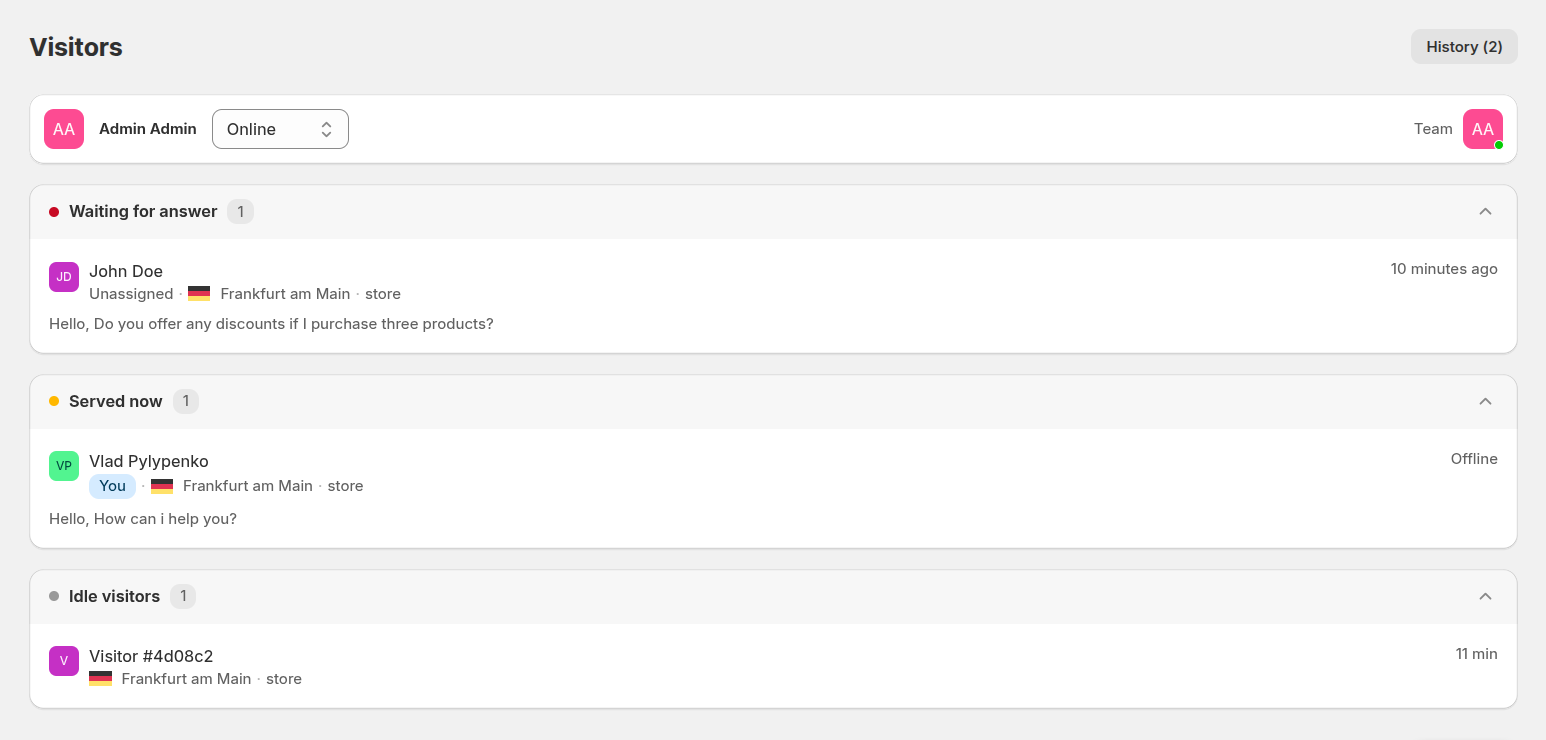
Each row displays:
- Visitor – customer’s name
- Location – country indicator for personalized, localized support
- Online – how long the user has been online
- Agent – which support agent (if any) is currently handling this visitor
- Viewing – the exact page the user is visiting
These real-time insights give agents a head start — they can see what the customer is browsing, anticipate questions, and offer highly contextual support.
The interface groups visitors into four useful categories:
- Waiting for answer – customers waiting for a reply right now. These require immediate attention to maximize satisfaction and conversion.
- Served now – chats where a support agent has replied and is now waiting for the customer’s response. Helps agents track ongoing conversations and maintain momentum in support.
- Active visitors – users browsing your store who haven’t started a chat yet. Agents can proactively engage to increase engagement and guide users toward purchase.
- Idle visitors – visitors who have been on your site but inactive for a period of time. Monitoring this group lets agents re-engage potentially lost leads, reducing bounce rates and boosting conversion opportunities.
With this structure, your team can easily prioritize, reassign, and stay on top of every interaction.
On the left side of the chat interface, agents can quickly navigate through key elements:
- Status control – switch between Online, Away, or Offline to reflect availability.
- History tab – browse archived chats and previous customer interactions.
- Team panel – a live overview of your support agents and their current status, improving collaboration and load distribution.
This panel helps agents stay organized, react quickly, and work as a coordinated team — even during peak traffic hours.
Chat windows
Clicking on any visitor opens a dedicated chat window on the right side of the screen.
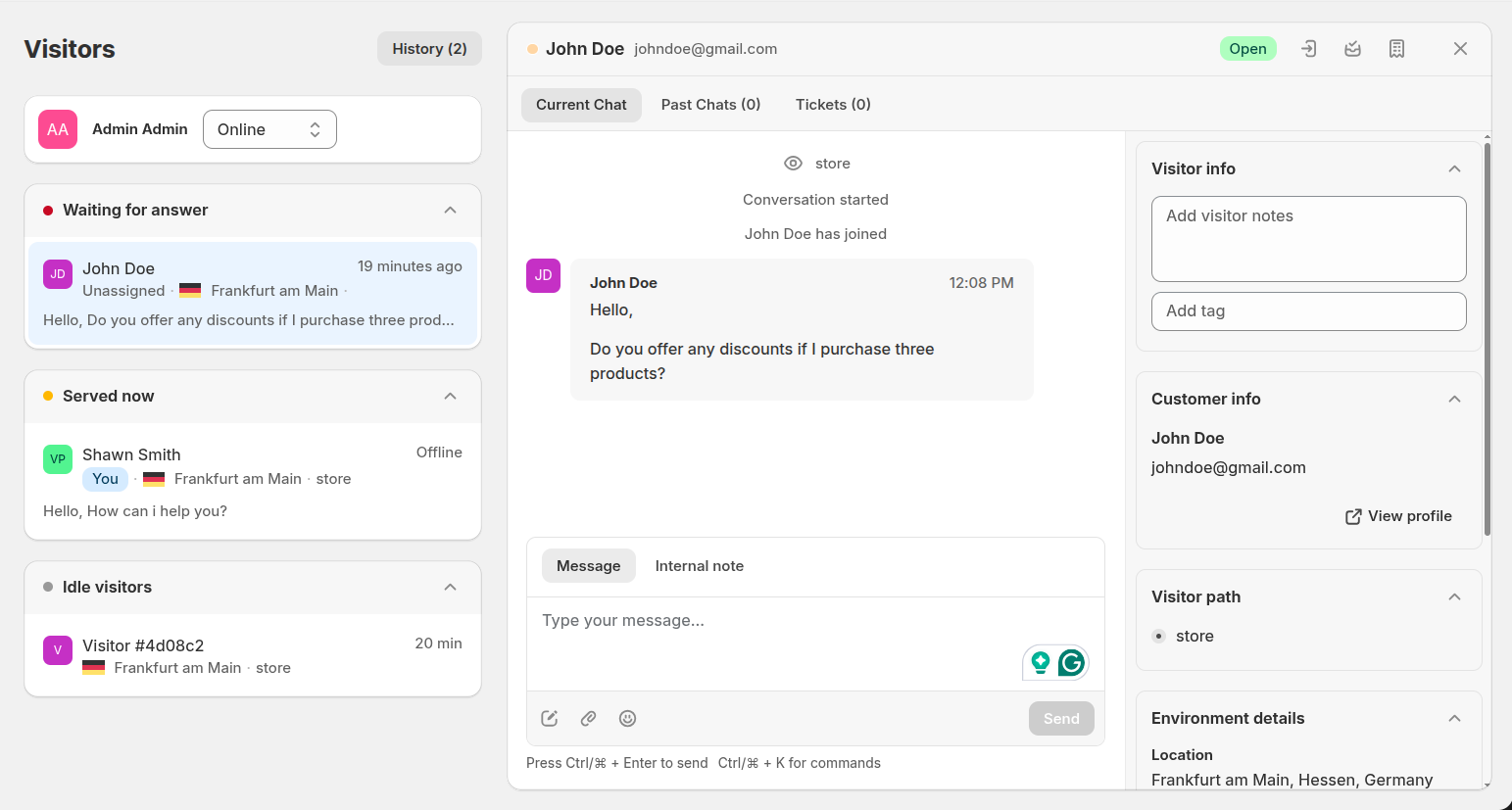
Inside each chat window, you’ll find:
- Current сhat – the live conversation
- Past сhats – full history for context-driven responses
- Tickets - tickets created by the customer
- AI button – improve or rewrite your message using AI
- Quick responses – instantly insert predefined messages to boost reply speed
- Attachments – upload screenshots, documents, and more
A side panel includes:
- Visitor info –
- Contact info – essential customer information at a glance
- Visitor path – the user’s navigation journey across your website
- Environment details – browser, device, OS, and location
These insights help your team deliver more accurate, personalized answers — and resolve technical issues faster.
Frontend chat widget
The frontend chat widget provides a smooth, modern chat experience for your customers. It automatically adapts to your team's availability, offering real-time messaging when online and an elegant contact form when offline.
Online Chat Window
When agents are online, the chat widget expands into a full interactive interface:
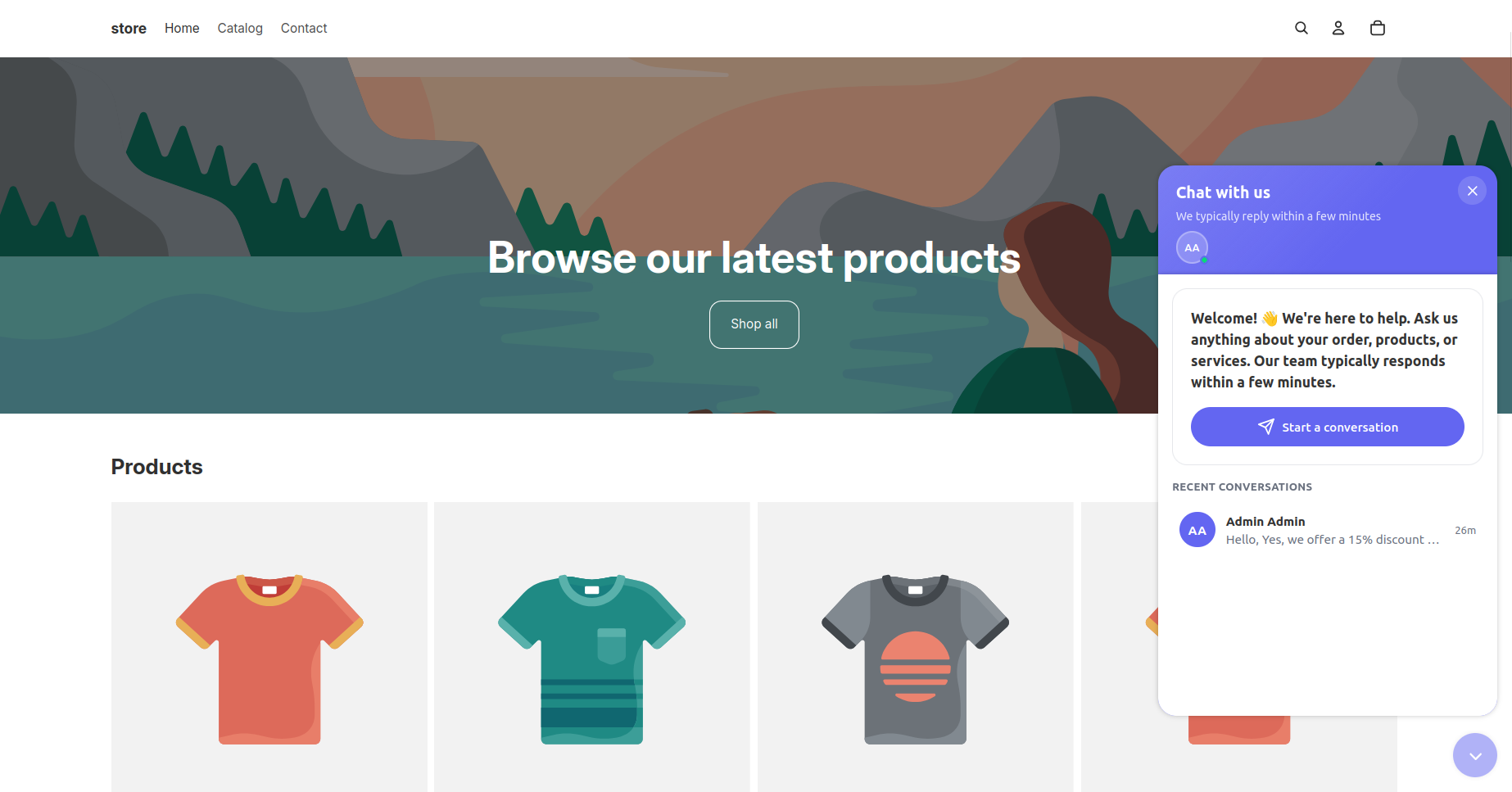
- Header – displays the chat title, branding.
- Team Presence – showing support team avatars with a green online indicator, showing customers that live help is currently available.
- Welcome Card – a prominent call-to-action area featuring a friendly greeting and a "Start a conversation" button to initiate chat.
- Recent Conversations – a dedicated section that allows users to quickly access and resume their previous message threads.
The design ensures customers stay engaged and supported by providing clear entry points for both new inquiries and ongoing support.
Pre-chat form
Enable the pre-chat form to collect key visitor information before the conversation starts.
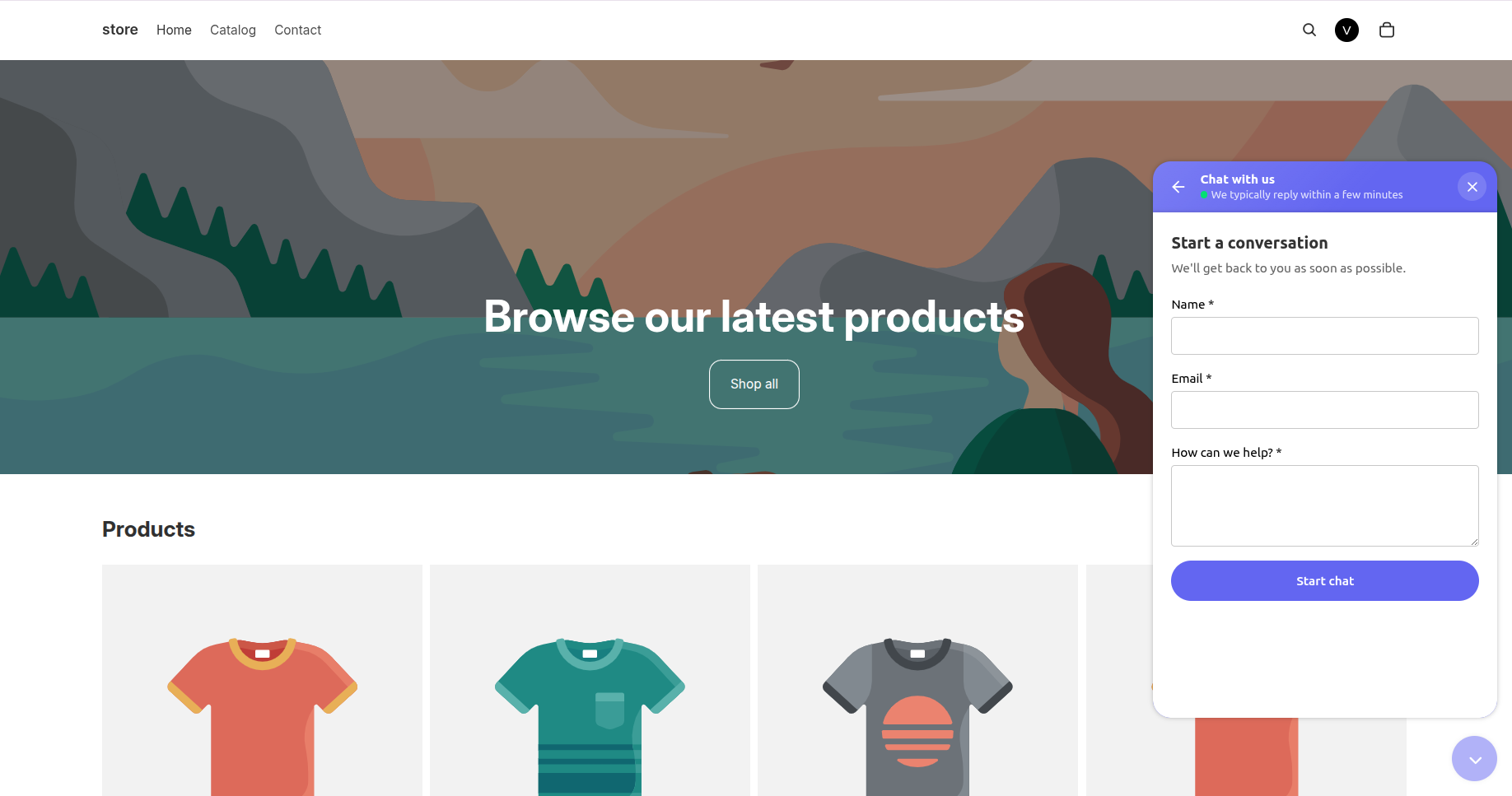
This helps your team understand who they’re talking to and offer tailored support from the very first reply.
Offline form mode
When no agents are available, the widget switches automatically to offline mode.
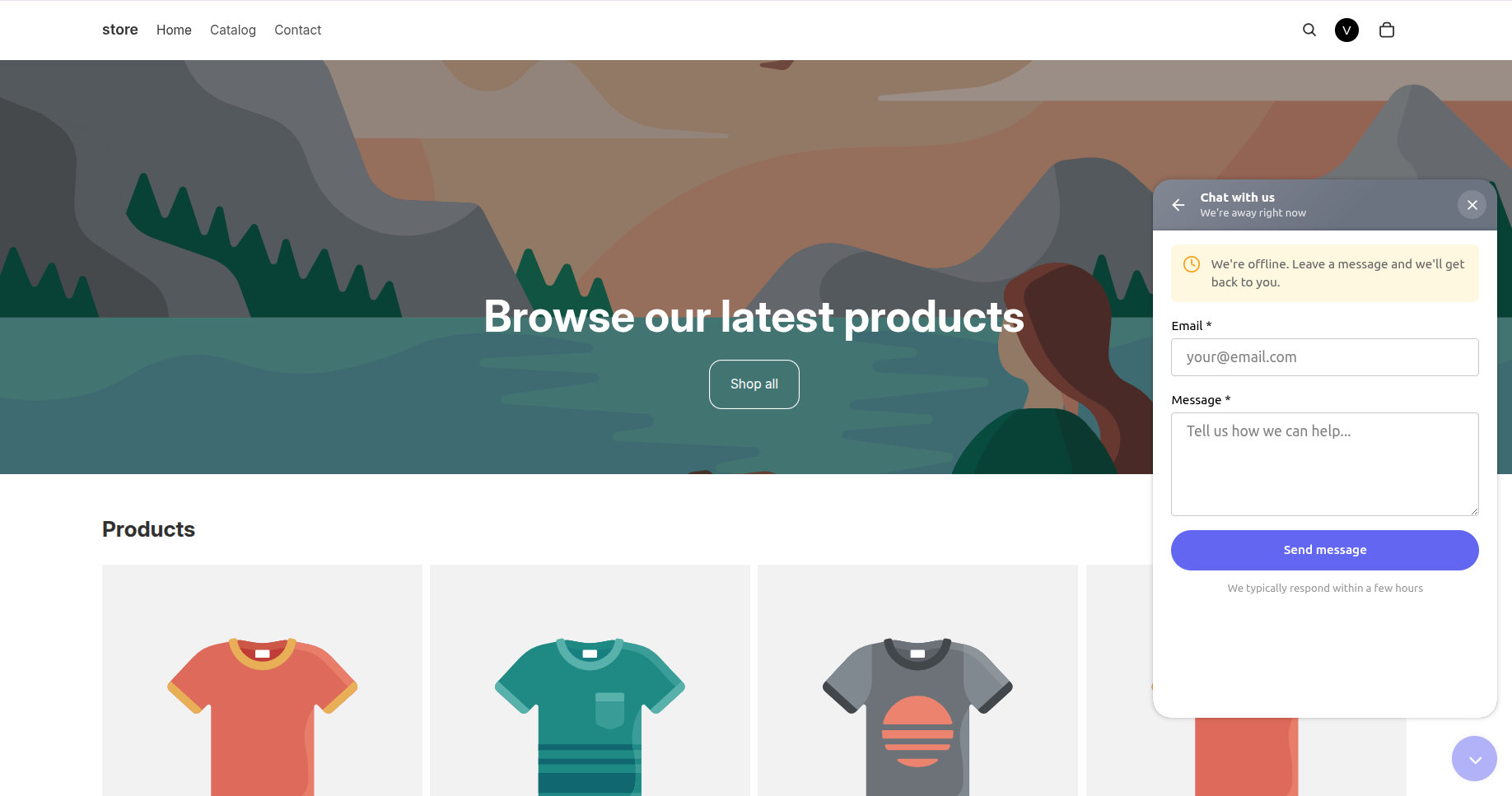
Customers can submit a message through the offline form, receiving a confirmation afterward. The system creates a new ticket in the admin panel, allowing the support team to review and respond to the request later.