Customers
The Customers page is your centralized hub for all users who have interacted with your store’s support channels. Every customer profile is created automatically, ensuring your team always has the right context without any manual work.
With a complete overview of customer details, behavior, and communication history, this section helps your team deliver faster, more informed, and more personalized support.
Customers list
The Customers list displays every contact stored within your Helpdesk MX app — clean, structured, and ready for action.
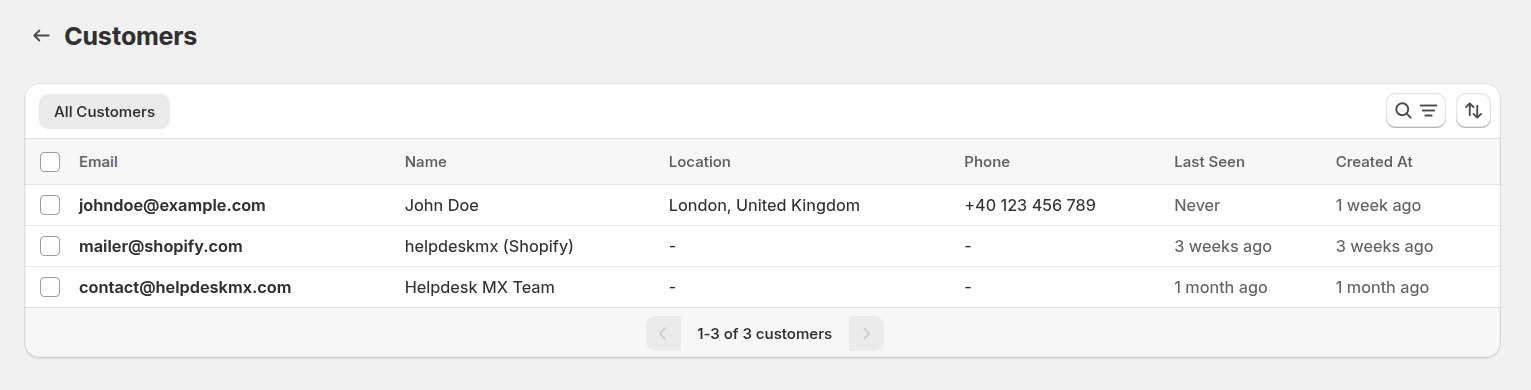
For each customer, you can instantly view:
- Email — the primary identifier used for support communication
- Name — automatically detected or manually updated by your team
- Location — gathered from email headers when available
- Phone — stored manually for quick outreach
- Last Seen — the customer's most recent interaction with your support
- Created At — when the contact first appeared in your system
This overview gives your agents quick insights to better understand the customer’s background before replying.
Customer information
Selecting a customer opens a detailed profile with all essential data in one place — perfect for tailored support and internal knowledge sharing.
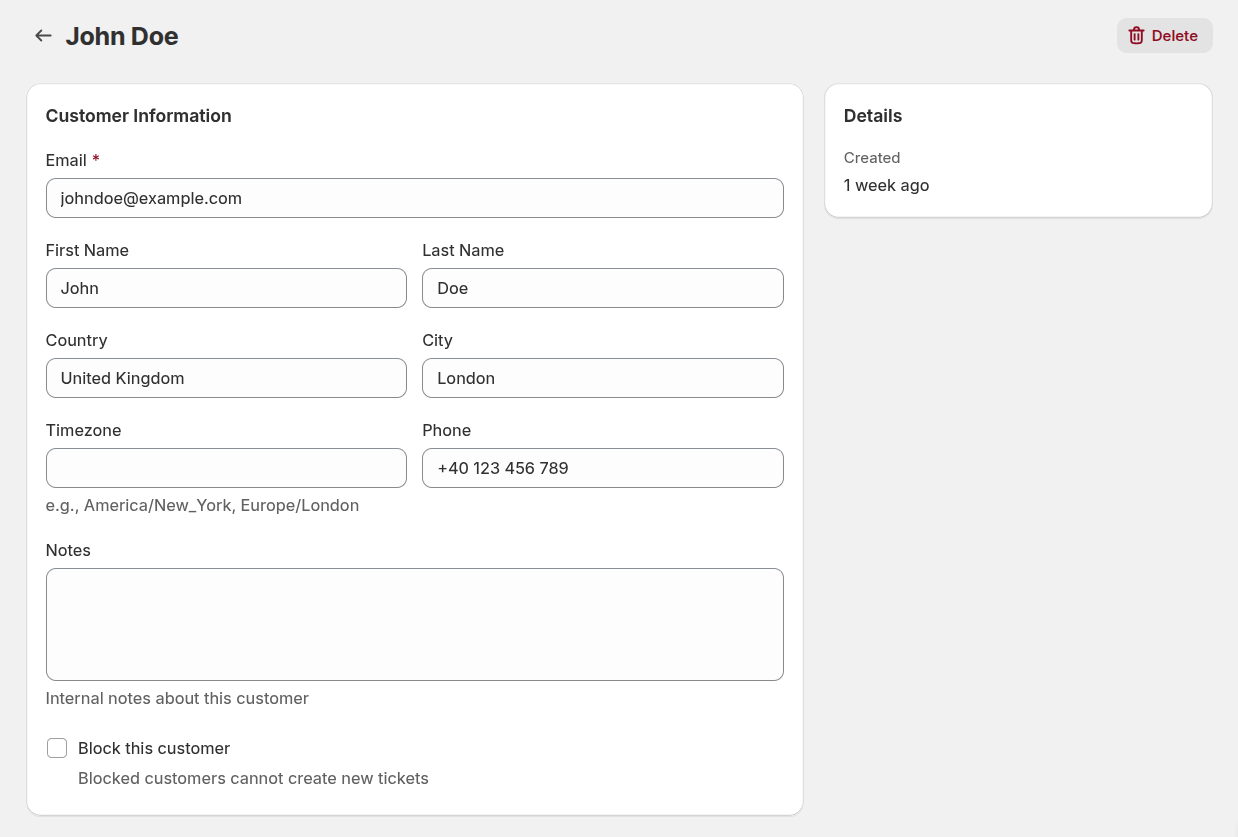
Editable fields include:
- First Name
- Last Name
- Country
- City
- Timezone
- Phone
- Notes — ideal for storing internal details, past issues, preferences, or anything your team should know
Additional option:
- Block this customer — if enabled, the customer will not be able to create new tickets
This gives you full control over customer access and ensures your support environment stays clean and manageable.
Customer ticket history
Every customer profile includes a full record of all previous conversations — giving your agents instant context to resolve issues faster.
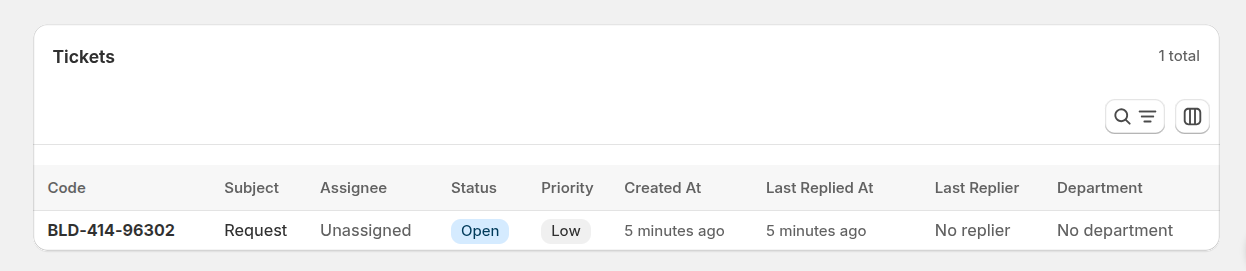
Each ticket displays:
- Ticket Code - unique identifier (e.g., ABC-123-45678)
- Subject - ticket subject line
- Requester - customer who submitted the ticket
- Last Replier - who last responded
- Assignee - team member handling this ticket
- Department - department handling this ticket
- Status - current status (Open, In Progress, Closed)
- Priority - urgency level (Low, Medium, High)
- Created at - when the ticket was created
- Last Replied at - when the last reply was sent
Thanks to this, your agents can easily spot returning issues, repeat questions, or trends in customer behavior.
How customers are created
Helpdesk MX builds your customer directory automatically, without any manual input.
Customers are created when:
- A new email arrives from an unknown address
- A user submits a message via the Contact Us Widget
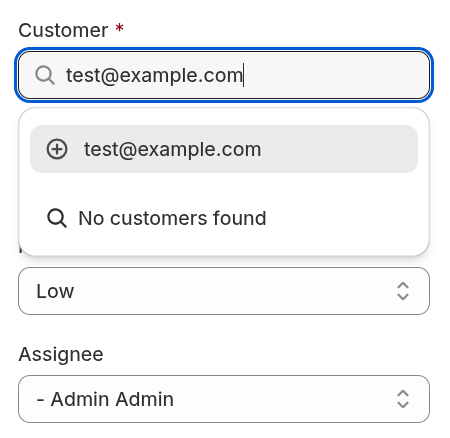
When an admin sends a ticket to a new email, a Create a new customer button appears. Clicking it creates a new customer profile and links it to the ticket, keeping your customer list accurate and organized.