How to invite user to helpdesk
The Invite User feature allows you to securely add team members to Helpdesk MX, ensuring your support team has the right permissions and access to provide excellent customer service.
Steps to invite a new user
- Click the Invite user button in the users page.
- Fill out the invitation form:
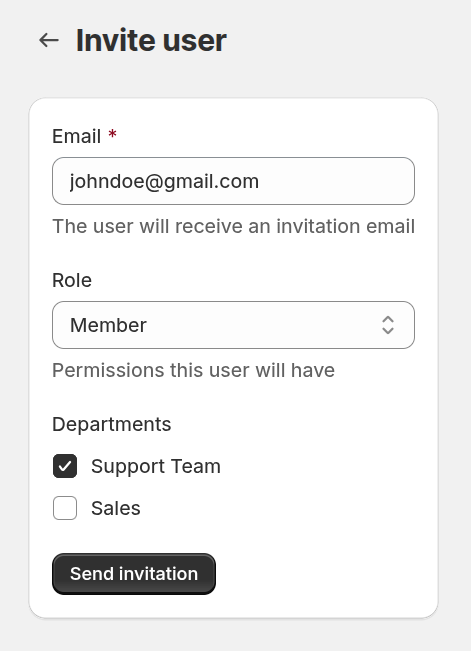
- Email – enter the email address that will receive the invitation.
- Role – select the access level for the user:
- Owner – full access to all settings and tickets.
- Admin – can manage settings and tickets but not Owners.
- Member – basic access to tickets and settings.
- Departments – choose which departments this user will be assigned to. Proper department assignment ensures relevant ticket routing and efficient workflow.
- Send Invitation – the user will receive an email with a secure link to join Helpdesk MX.
Joining Helpdesk MX
Once the invited user clicks the link:
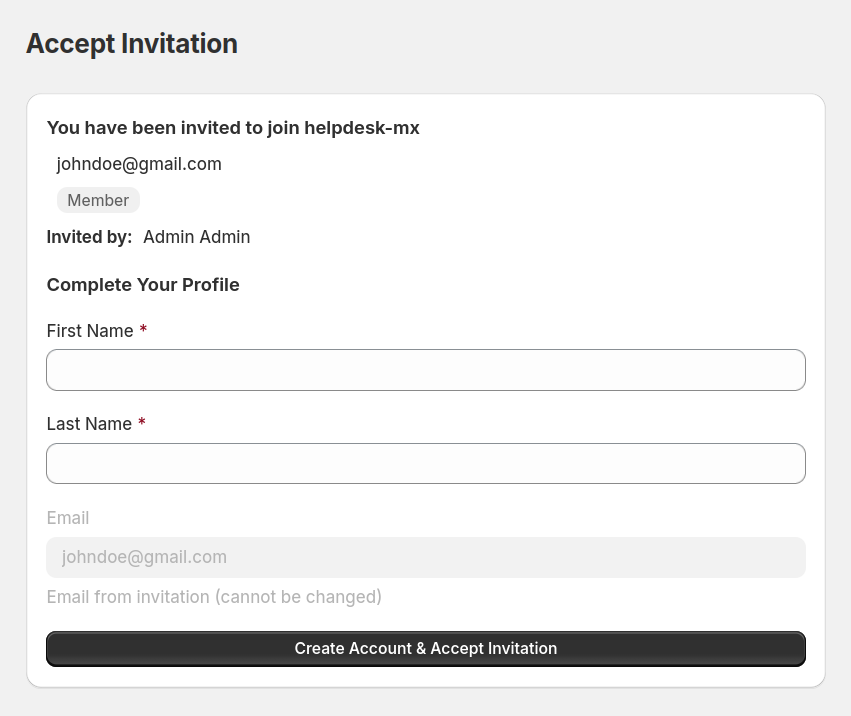
- They are directed to a registration form where they provide their name.
- After submitting the form, the user is added to your Helpdesk MX account with the assigned role.
- The new user can now access tickets, communicate with customers, and collaborate with your team immediately.
Inviting users ensures your team can scale efficiently while maintaining control over access and responsibilities. It helps onboard new agents quickly, keeps your support organized, and ensures every ticket is handled by the right person.