How to create mailboxes
Setting up Mailboxes is crucial for integrating your customer support system with your email service, enabling automatic ticket creation and seamless communication between your helpdesk and customers. With mailboxes, incoming customer emails are transformed into tickets, making it easier for your support team to manage and respond to inquiries effectively.
Follow these steps to create a mailbox:
Navigate to Helpdesk MX -> Settings -> Mailboxes.
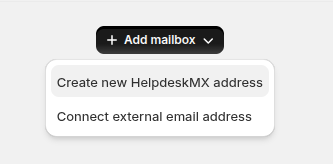
Press the Add mailbox button.
Select mailbox type:
- Create new Helpdesk MX address
- Connect external email address
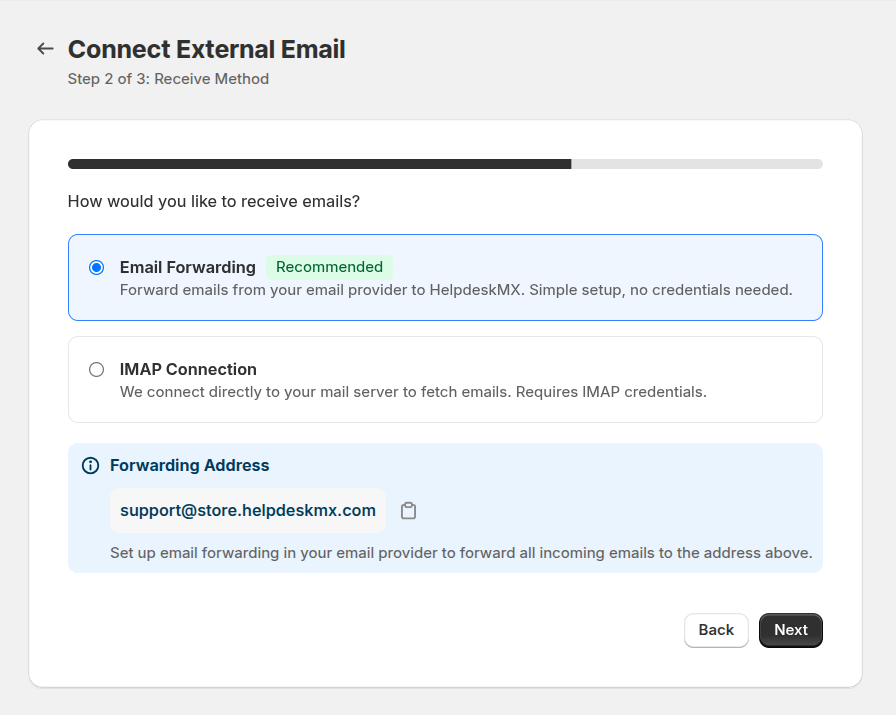
For external email address select connection type
- Email Forwarding
- IMAP Connection
- Fill in the information. A detailed description of the fields can be found in the Mailboxes section of our documentation.
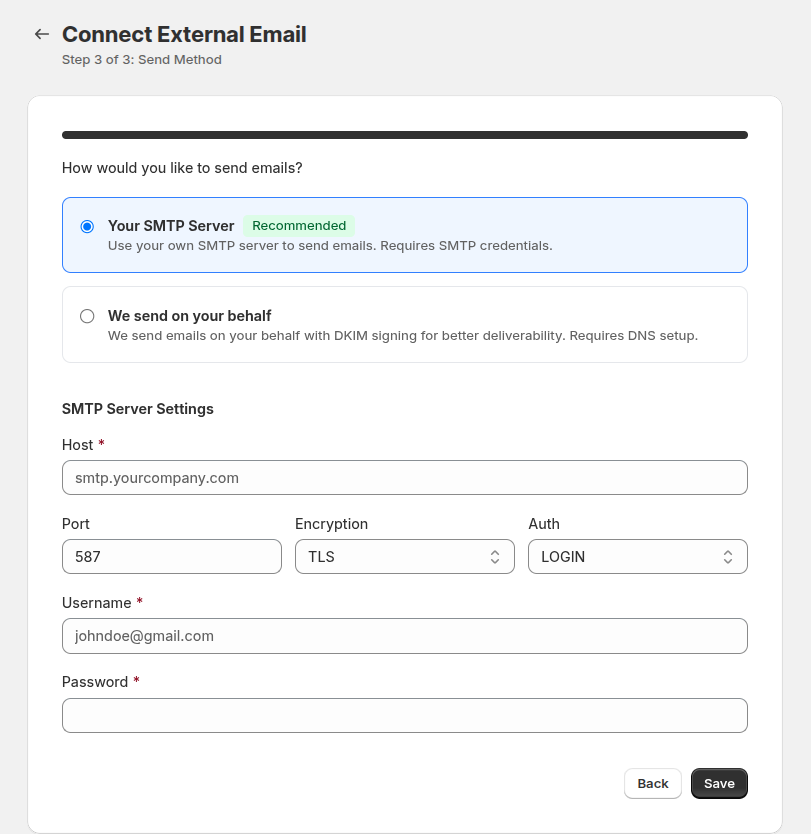
- Press the Save button to finish creating the gateway.