How to create a ticket via Contact Us Widget
The Contact Us Widget allows customers to quickly submit a support request without leaving your website. Once the widget is enabled and configured, every message sent through it automatically creates a new ticket in your Helpdesk system.
This feature helps streamline customer communication, making it easy for visitors to reach your support team directly from any page.
Enable the Contact Us Widget
Before customers can use the widget, make sure it is enabled in your store:
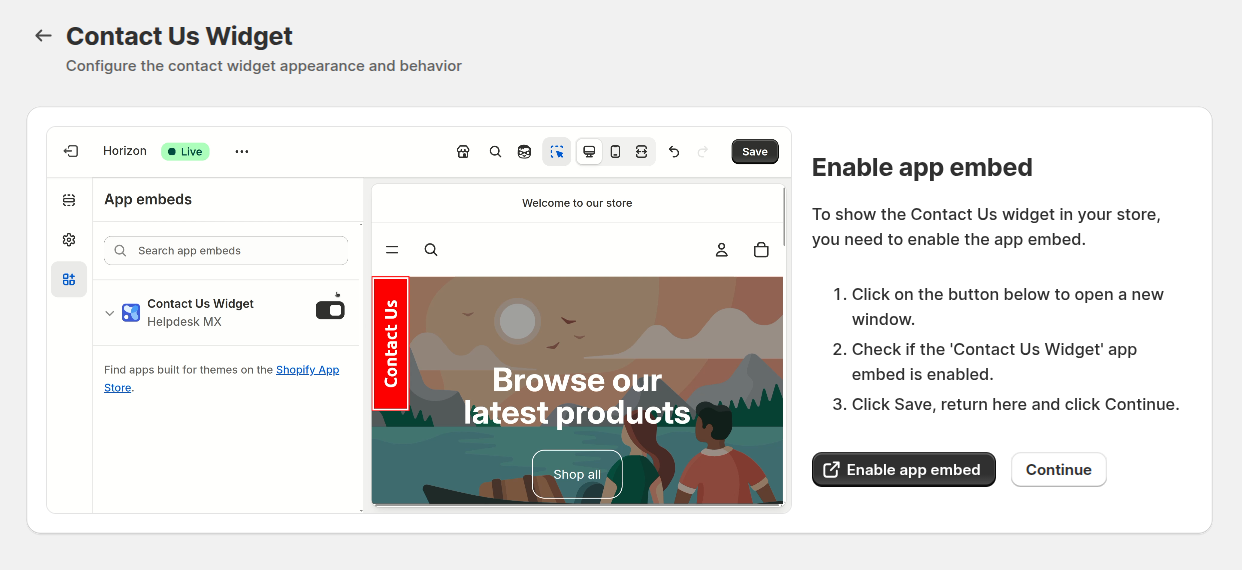
- Go to Helpdesk MX → Settings → Contact Us Widget.
- Follow the instruction and enable app embed.
- Enable the widget and customize the appearance.
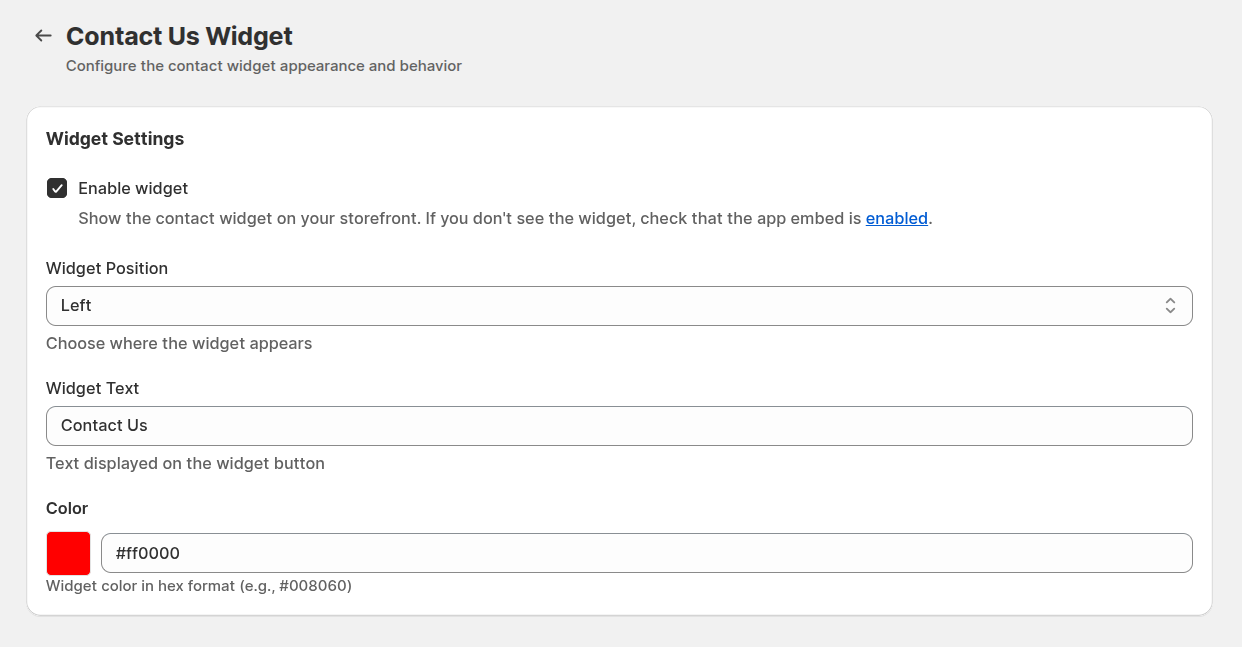
- Save the configuration.
Once enabled, the widget appears as a floating “Contact Us” button on your storefront.
Open the Widget on the Frontend
On your website, customers can click the “Contact Us” button located at the left or right side of the page. This opens a compact popup form where they can fill in their message.
- Fill in the form
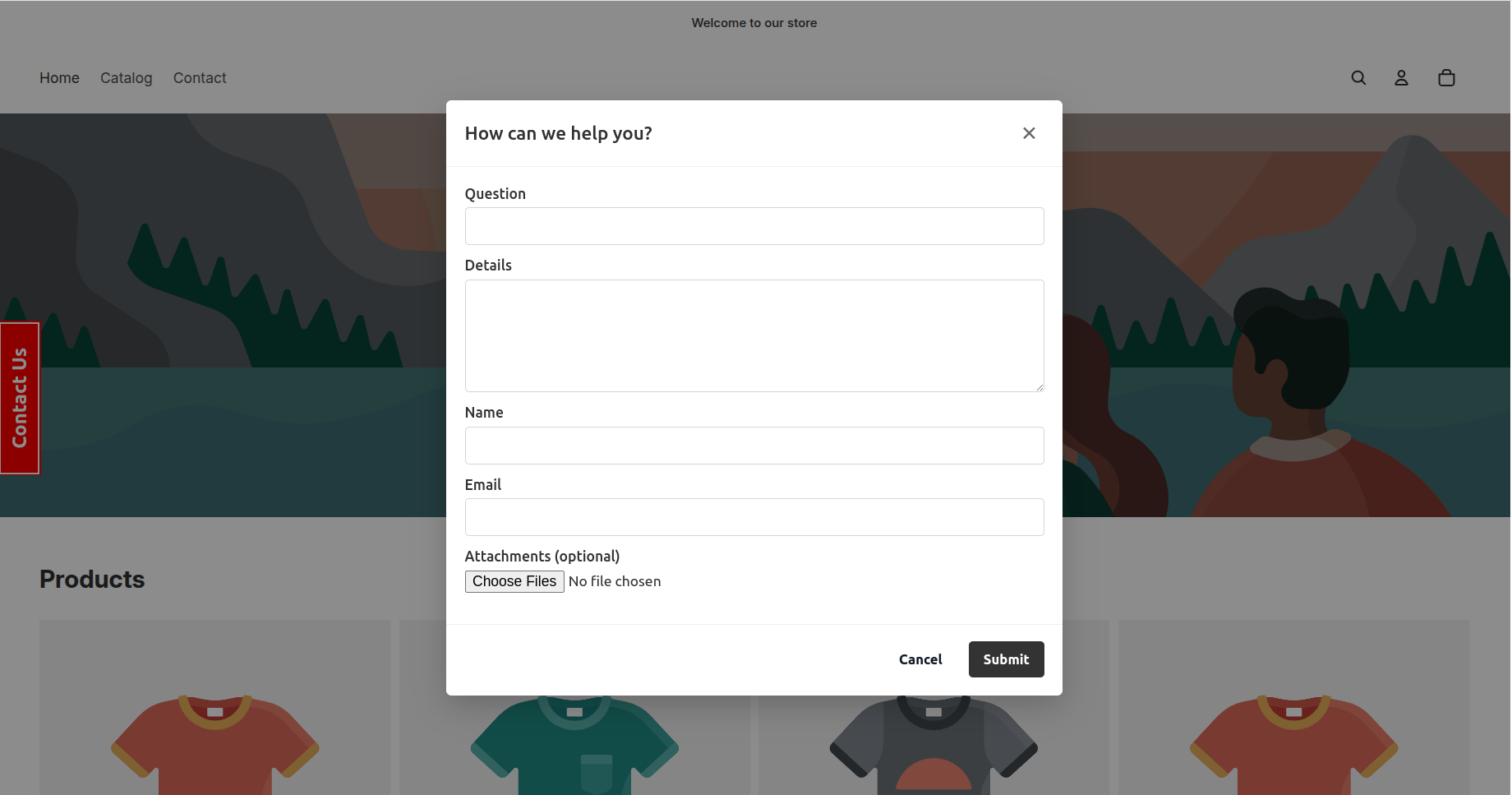
- Press submit button to send a request
- The system automatically creates a new helpdesk ticket