Quick Responses
The Quick Responses page helps your support team deliver faster, more consistent, and more professional communication. Instead of typing the same messages over and over, agents can instantly insert polished, pre-approved replies — improving response times, reducing workload, and ensuring every customer receives a clear, helpful message.
Quick responses are especially valuable for common questions, onboarding instructions, troubleshooting steps, and follow-up messages. They keep your tone aligned across the team and help new agents ramp up quickly with ready-to-use templates.
Quick response settings
When creating a new quick response, you can configure:
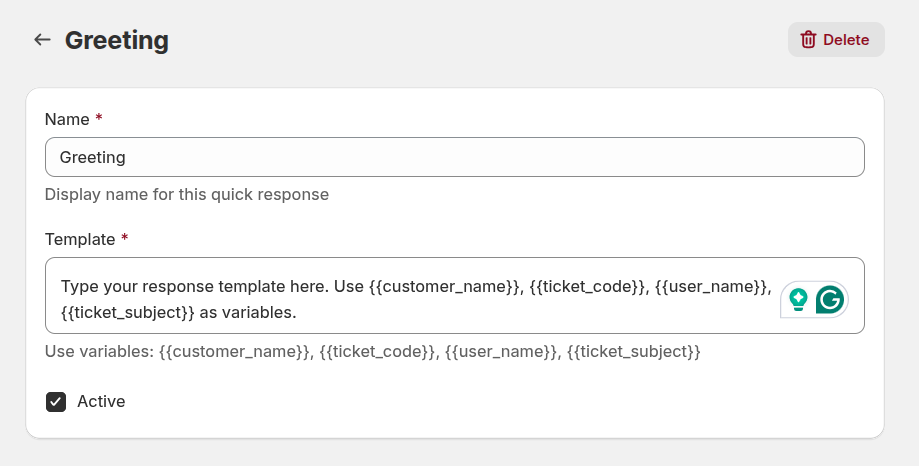
Name: the display name used to identify this quick response in the list and when selecting it during a conversation.
Template: the text content of the response. Templates support dynamic variables to automatically personalize messages:
{{customer_name}}– inserts the customer’s name{{ticket_code}}– inserts the ticket code{{user_name}}– inserts the agent’s name{{ticket_subject}}– inserts the ticket subject
These variables help your team deliver personalized replies while keeping communication efficient and scalable.
- Active: enables or disables the quick response. Only active templates are available for agents during ticket replies.