Social messaging
The Social messaging page allows you to connect popular social platforms directly to your Helpdesk MX chat. This turns messages from WhatsApp, Facebook Messenger, and Instagram into a single, unified conversation flow - so your team can reply faster, stay organized, and never miss a customer message.
By centralizing social communication, you reduce response time, improve customer satisfaction, and manage all conversations from one familiar interface.
General settings
Each connected social channel includes basic configuration options that help you control how it behaves inside Helpdesk MX:
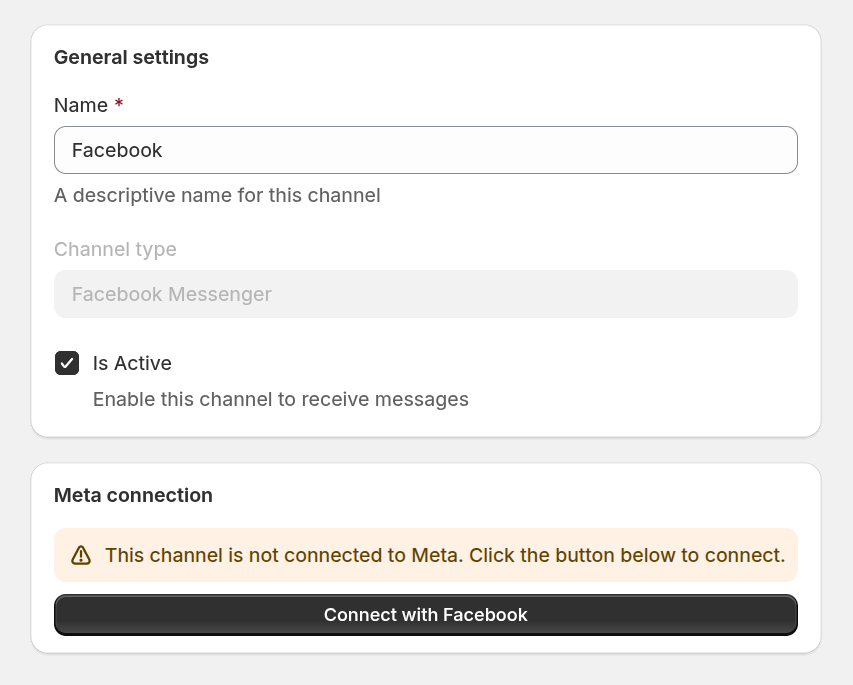
- Name - a descriptive internal name for the channel that helps your team easily identify it.
- Channel type - defines which platform the channel is connected to.
- Is Active - enables or disables the channel. Only active channels can receive incoming messages.
- Meta connection - shows the current connection status with Meta. If the channel is not connected, you can start the authorization process by clicking the connect button and linking your Meta account.
Supported Channels
You can connect the following social platforms:
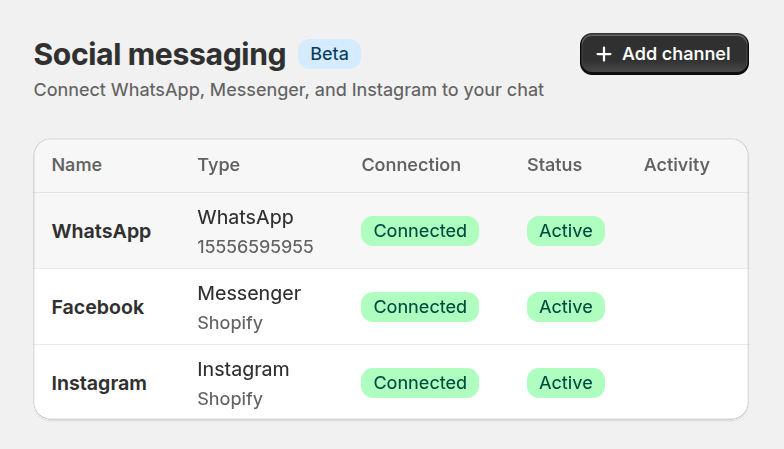
- WhatsApp - a WhatsApp Business account with phone numbers in Meta Business Manager
- Messenger - a Facebook page with messaging enabled
- Instagram - an Instagram Business account connected to a Facebook Page
To connect any social messaging channel, you must have a Facebook App in live mode. Follow the instructions in our How to create facebook app section to set it up correctly.