Priorities
Manage ticket priorities to help your support team quickly identify and respond to the most urgent requests. Properly configured priorities improve workflow efficiency and customer satisfaction.
After installation, Helpdesk MX automatically creates default priorities:
- Low
- Medium
- High
Priorities settings
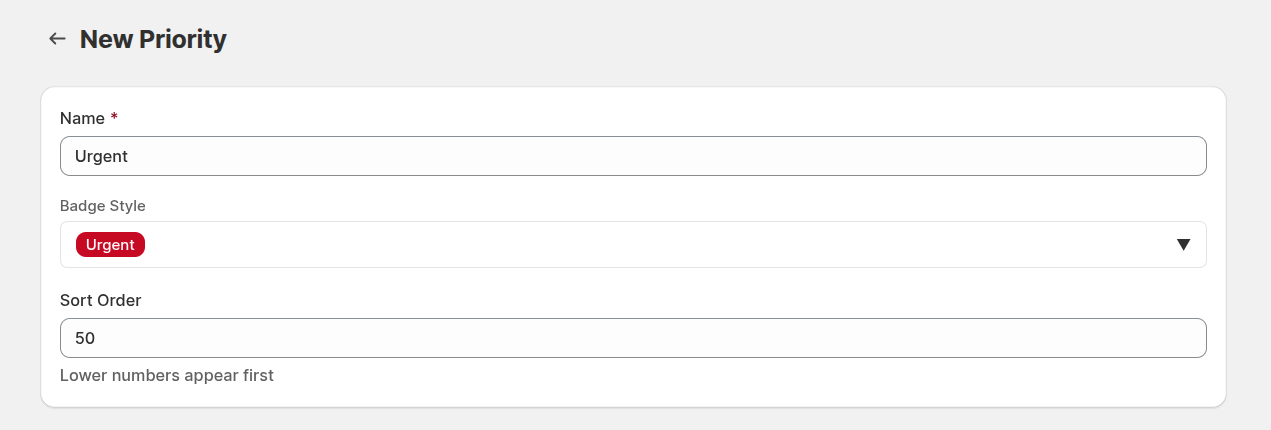
Name: define the name of the priority level. Clear naming ensures agents can immediately understand the urgency of each ticket.
Badge Style: select a visual badge style for this priority. Using distinct colors or icons helps agents quickly recognize the priority level in lists and dashboards.
Sort Order: set the display order of this priority in dropdowns and lists. Lower numbers appear first, allowing you to prioritize commonly used levels and streamline ticket handling.