Users
Configure individual user accounts to control access to departments, ticket assignment, and communication preferences. Proper setup ensures your support team has the right permissions and receives relevant tickets promptly.
User list
All users in the system are displayed in a list. Each user shows the following information:
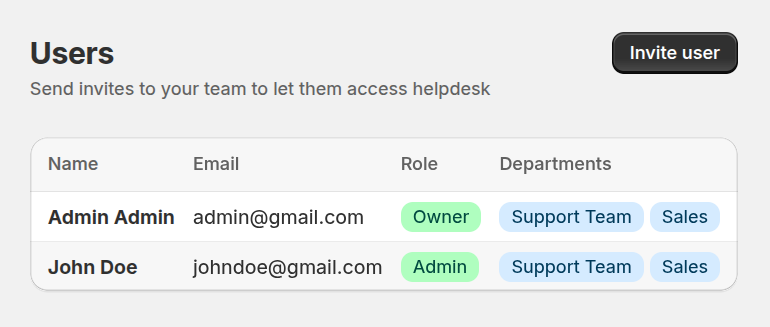
- Email – the user’s email address.
- Role – determines the level of access:
- Owner – full access to all settings and tickets.
- Admin – can manage settings and assigned users.
- Member – basic access to assigned departments and tickets.
- Assigned Departments – departments the user has access to.
Editing users
Click on any user to view or update their information:
- Email: can be changed by user in profile section.
- Role: modify access level as needed.
- Assigned Departments: update department access.
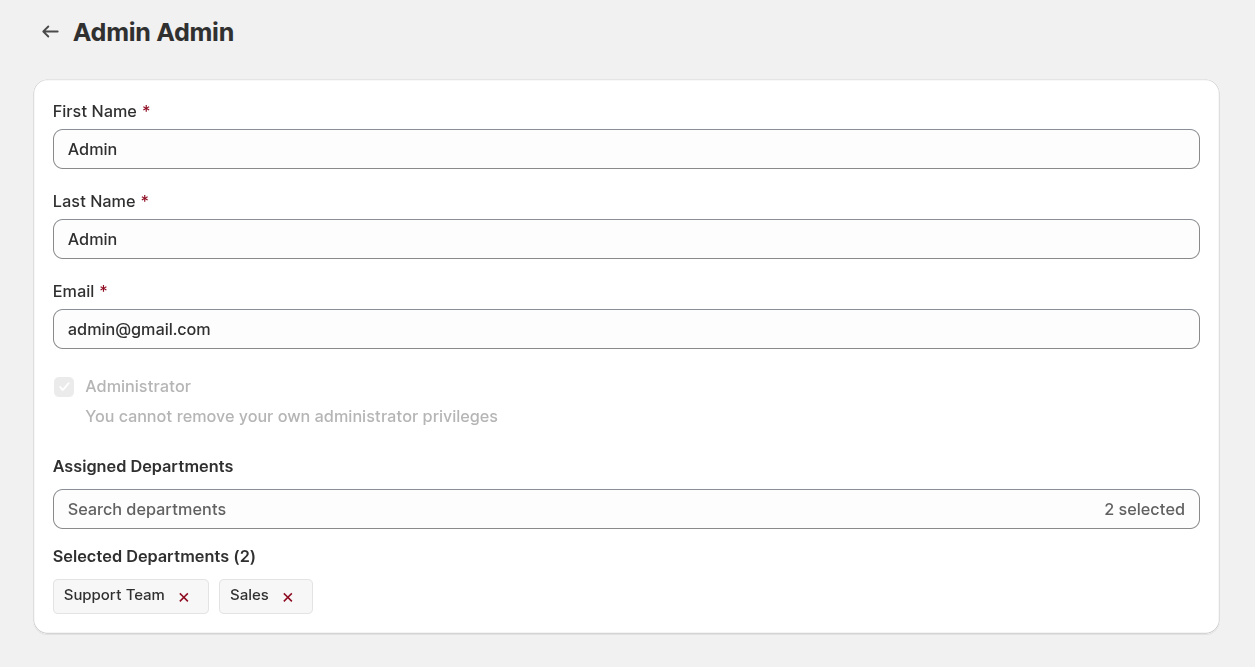
This interface allows administrators to manage team access and ensure tickets are assigned efficiently.